Data models
Information
This menu is only available for users with the permissions: Admin or SuperUser.
How are data models created, modified, or deleted
Within the data models menu, data models are created that enable annotations within a project.
Click the + Create new data model button in the top right corner of the screen to create a new data model:

Creating a new data model
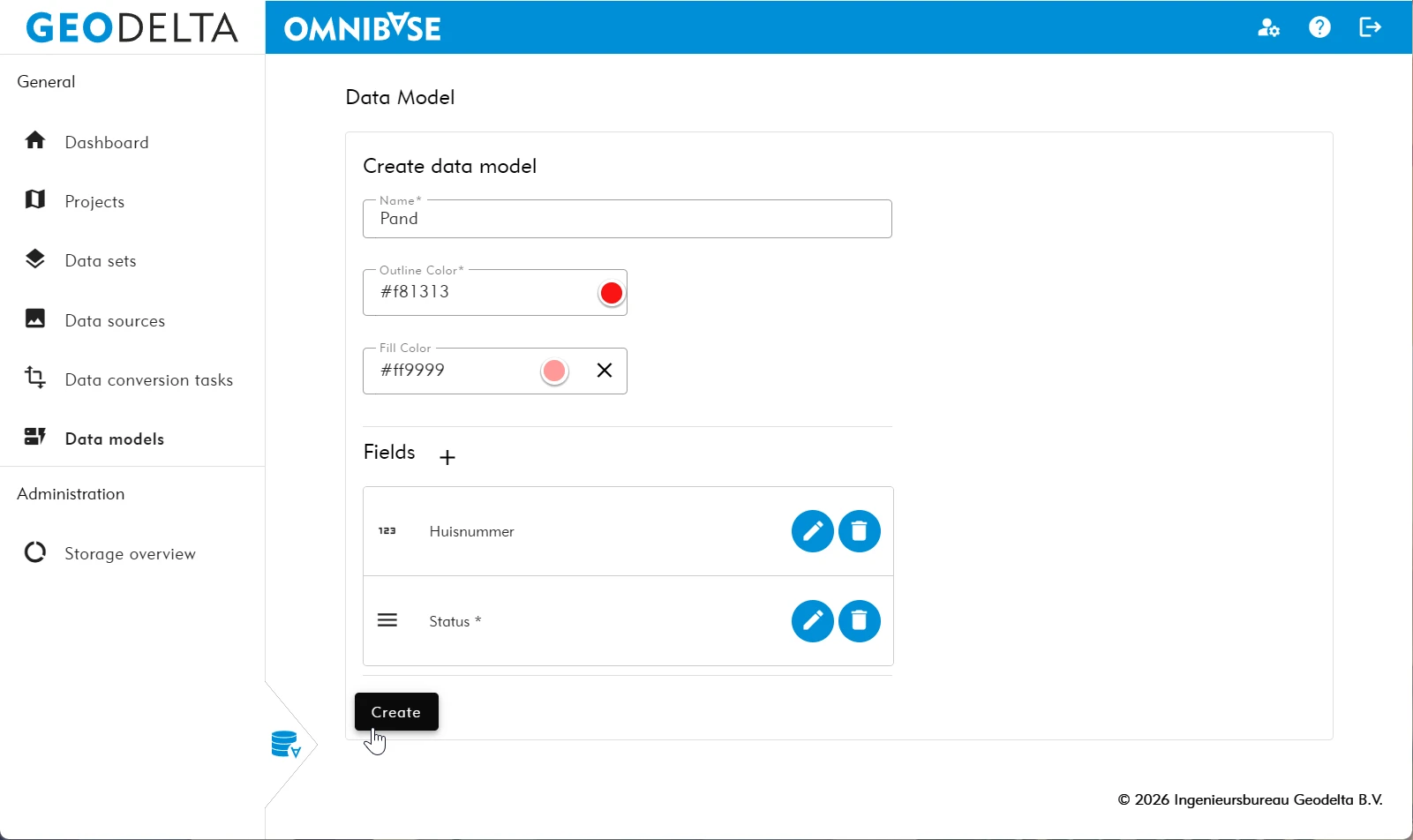
Below is a description of how to create a new data model. After the steps, an image is shown with a completed example.
Enter the following information:
- Enter the Name of the data model.
- Select the desired outline color by clicking the default color.
- Adjust the color in the opened color menu.
- Select the desired fill color by clicking the default color.
- Click the cross icon to select no fill color. Annotation polygons will then be displayed without fill.
- Adjust the color in the opened color menu.
- Add additional fields to the annotation that can be completed after measuring the annotation.
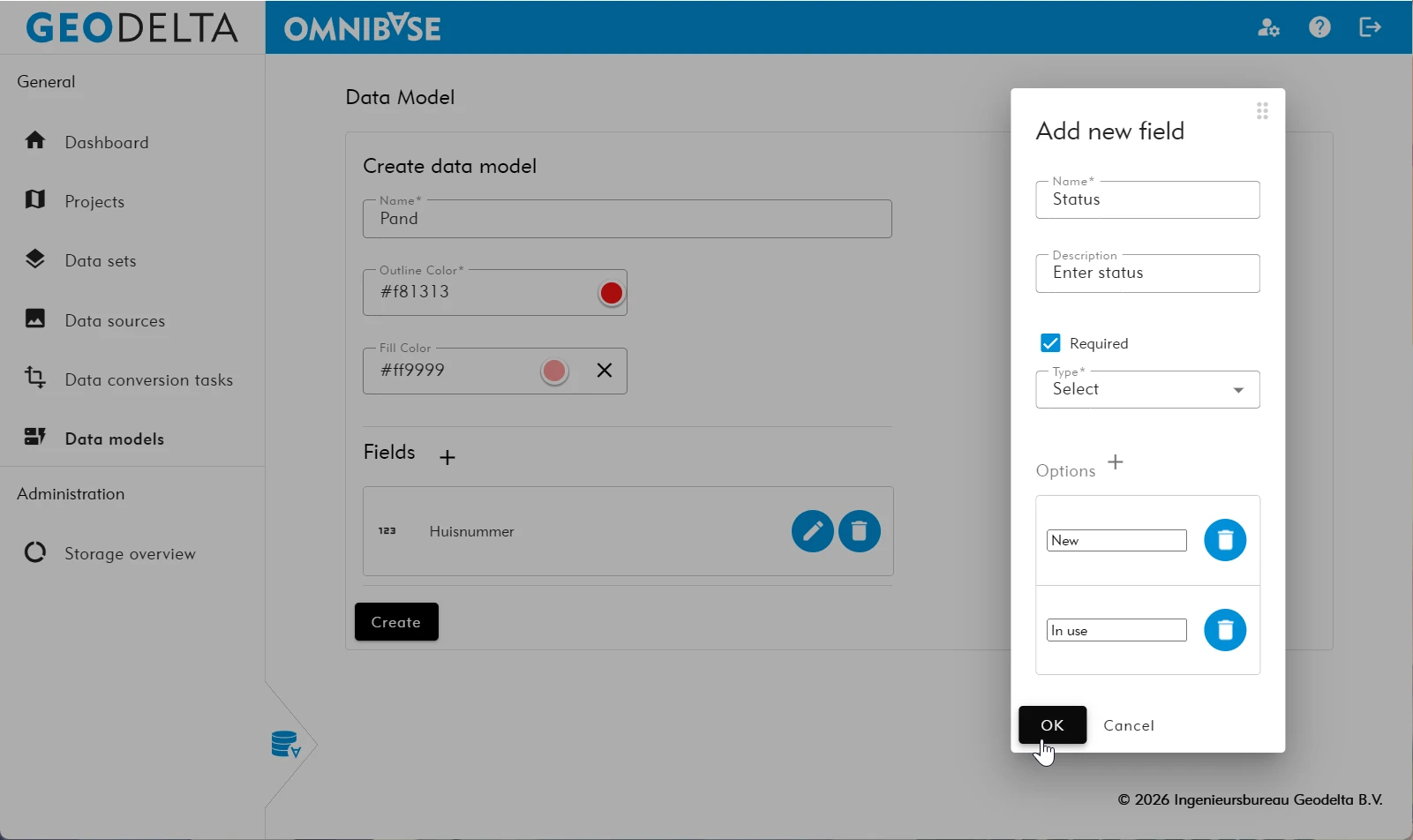
- Click the plus icon behind “Fields” to create a new field.
- Enter the desired field name and optionally a description.
- Select whether this input field is required in order to save the annotation.
- Choose the field type and enter any additional options.
Omnibase supports the following field types: boolean (true/false), date, numeric (optionally including minimum or maximum value), reference (to another data model), selection (manually defined selection options), and a free text field (optionally define a maximum length).
- Click the plus icon behind “Fields” to create a new field.
- Click the
Createbutton to create the data model.- After creation, you are returned to the data models page.
Editing an existing data model
Click the blue pencil icon on the data models page to edit a data model.
Deleting an existing data model
Click the blue trash icon to delete a data model. A pop-up will appear asking: “Are you sure you want to delete this project”.