Storage overview
This menu is only available for users with the permissions: Admin or SuperUser.
What is the (data) storage overview
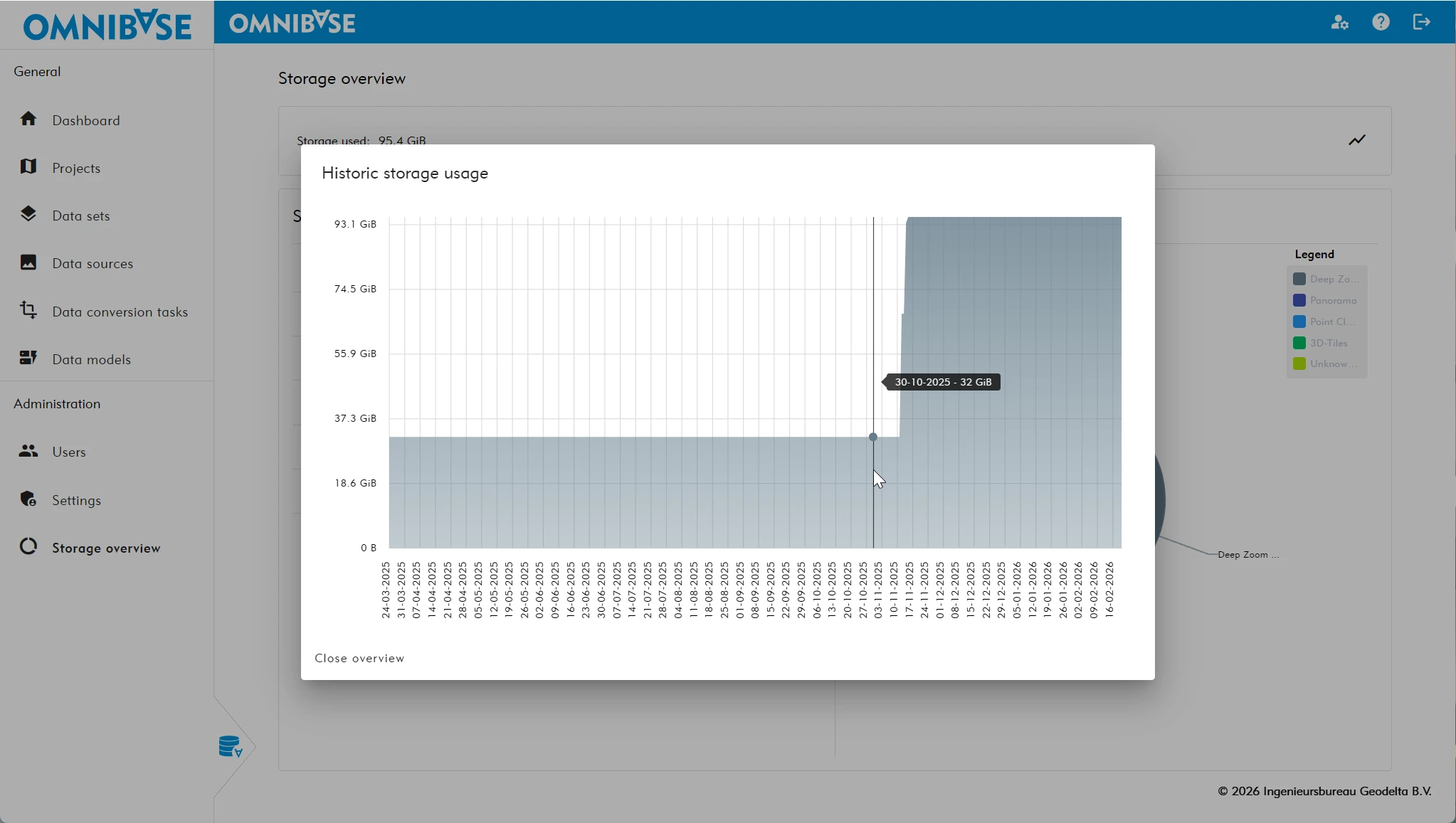
The storage overview shows how much data is stored within the entire organization. It provides real-time insight into total storage usage.
Storage is displayed both as exact numerical values and as an interactive pie chart. When hovering over a category with the mouse cursor, the segment is highlighted and the corresponding total storage for that data type is shown. This allows quick analysis of storage distribution per category.
Properties of the (data) storage overview
-
Insight into total organizational data storage.
-
Categorized by all data source types:
-
Photo
- Deep Zoom Image format.
-
Panorama
- Panorama photo in JPG format.
- Panorama photo in Deep Zoom Panorama format (conversions are now standard in this format; JPG is still supported for visualization).
-
Point cloud
- Potree format.
- COPC-LAZ format.
-
3D-Tiles
- 3TZ 3D-Tiles format.
-
Unknown / Unused
- Data from a data conversion task that is not linked to a data source.
For example:- Aerial images and/or panorama photos not linked to position and orientation data.
- A converted point cloud task that has not yet been created as a data source.
- Geodelta can assist in cleaning up this data.
- After deletion, data can be restored for up to 1 month. After that period, it is permanently deleted.
- Data from a data conversion task that is not linked to a data source.
-
Total
- Overall storage overview (automatically switches to terabytes when required).
-
Historical storage usage
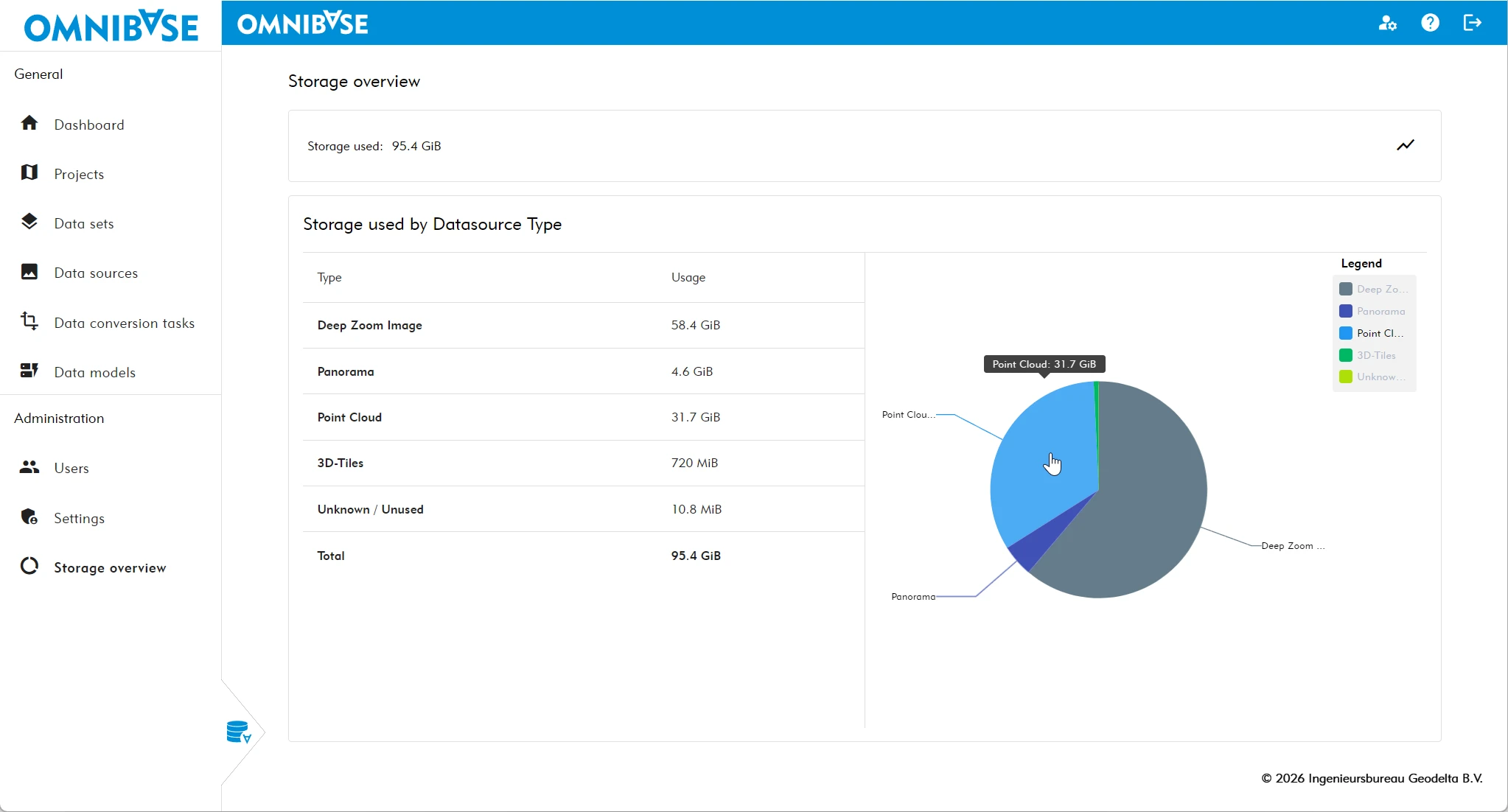
In addition to the per-category overview, storage history can be displayed by clicking the chart icon at the top right of the legend.
This overview shows when additional data was added and approximately how much was added.
The historical graph represents the cumulative total of all data uploaded and converted via data conversion tasks in Omnibase. By comparing the date of total storage growth with the date of a specific data conversion task, it is possible to determine when a particular dataset was added.